Website Feedback and Visual Bug Reporting for Developers
No more vague tickets, cropped screenshots, or scattered Slack threads. Commento pins every comment to the exact element on the exact page, with arrows and boxes drawn right where the problem is.

Why developers choose Commento
Know exactly what broke
Each comment carries the element it was pinned to, the page it was left on, and the marks drawn over it.
Track every fix
Each report stays open until it is resolved, and the project shows what is left, so nothing gets lost between rounds.
Zero setup for reviewers
Clients and testers comment straight on the live site with no account, no extension, and no onboarding call.
Website, image, video, or PDF, one workflow
Review a staging site, a design export, a product video, or a spec PDF the same way, with pinned comments and drawings on top of whatever you are looking at.
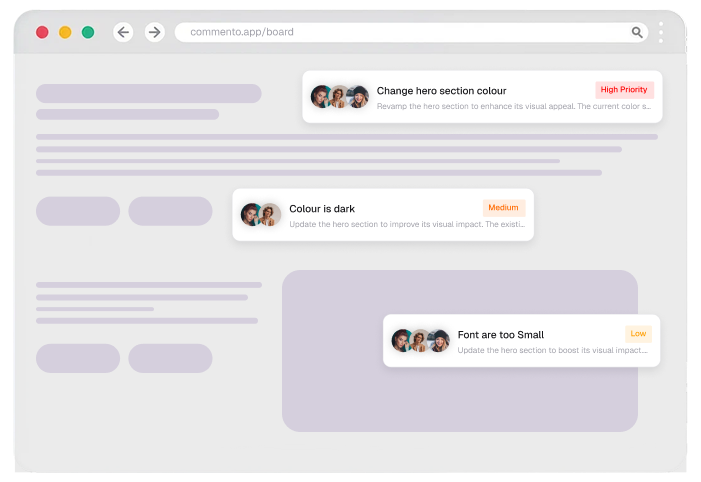
Track every report to resolved
Reply in the thread, mention the teammate who owns the fix, and resolve each report once it ships, all without leaving the review.

Comment on any live URL, nothing to install
Point Commento at staging or production and start collecting pinned feedback without touching your codebase or adding an SDK.
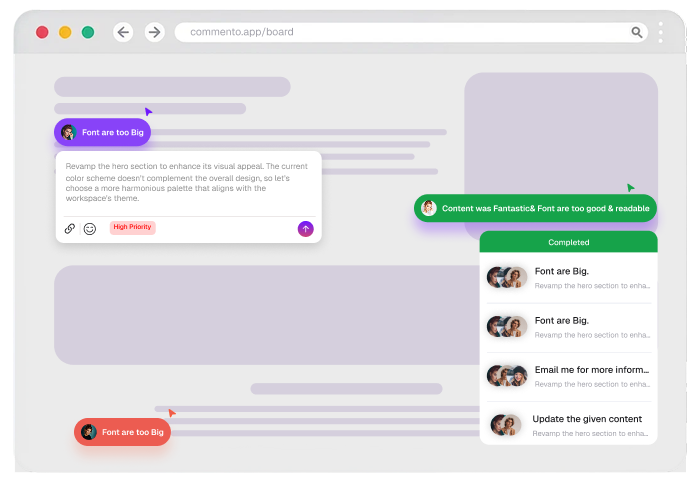
From shared link to shipped fix
The same four steps every time, whether it is a staging site, a design export, a cut of a video, or a PDF proof.
Share the link
Send one review link. No account, no extension, and nothing to install for the people reviewing your work.
Pin the feedback
Reviewers click the exact spot on the website, image, video, or PDF and leave their comment there.
Mark it up
Arrows, boxes, and freehand drawings sit on top of the work, so nothing has to be described in words.
Track it to done
Every comment stays open until someone resolves it, and each project shows what is left, so you can follow it to shipped.
Everything developers need, from day one
No add ons and no feature gates on the review itself. Plans differ on how many projects and people you bring, not on what a review can do.
Yes. Commento layers on top of any live URL, whether it is React, Vue, plain HTML, or a server rendered app. There is nothing to install in your codebase.
The pinned element and page, any arrows, boxes, or freehand marks drawn on it, attached files, and the full reply thread.
Comments carry all their context, so you can copy a fully formed bug report into Jira, Linear, or GitHub in one paste.